GIF basics · 5 min read
How long can a GIF be and what limits its length?
Quick answer
The GIF format has no maximum length, so a GIF can technically run for any amount of time. In practice, file size is the limit. Sharing platforms cap uploads, with GIPHY allowing 15 seconds, and most GIFs work best under about 6 seconds.
Key takeaways
- The format sets no limit on length or frame count. One frame can wait up to about 10.9 minutes.
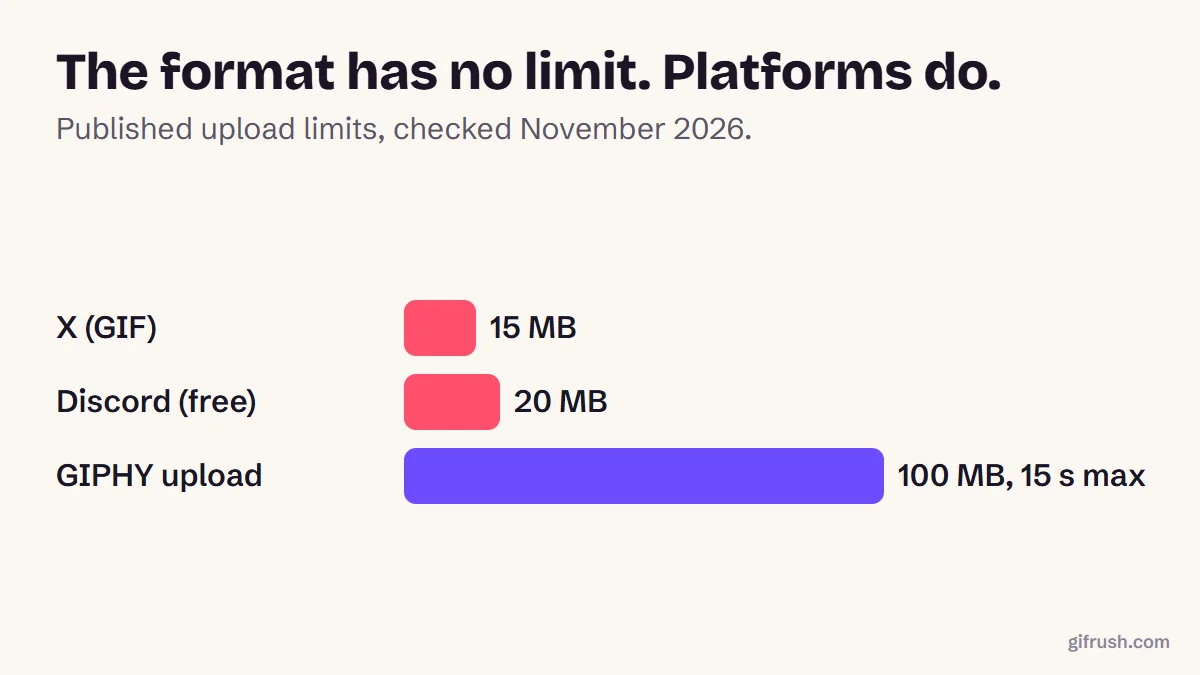
- Platforms set the real limits: GIPHY allows 15 seconds and recommends 6 or less; X allows 15 MB.
- In our test, each extra second added about 244 KB at 480 px and 12 fps, so length adds up fast.
- To fit more time, lower the frame rate or width before you cut the clip.
Is there a maximum GIF length?
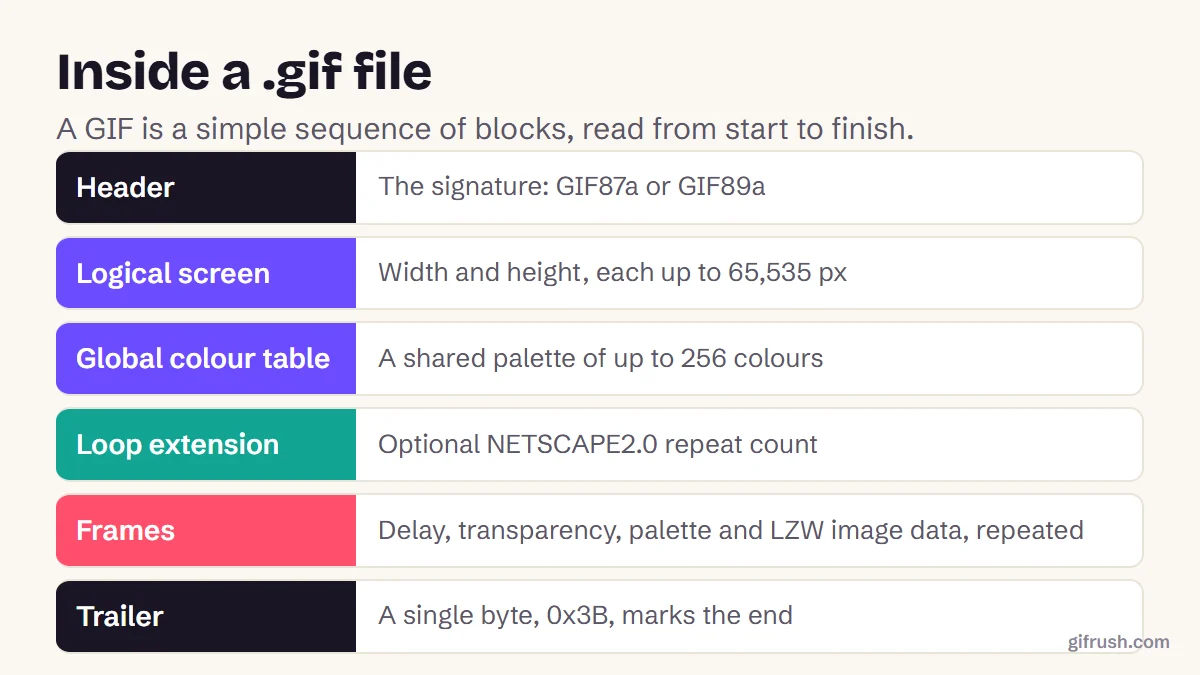
No. The GIF89a specification doesn’t cap the number of frames or the total running time. A GIF ends when the file ends. The numbers the format does limit are:
| Property | Maximum | Why |
|---|---|---|
| Total length | None | Frames can keep coming until the file ends |
| Time per frame | 655.35 seconds (about 10.9 min) | A two-byte delay value, counted in hundredths of a second |
| Width and height | 65,535 px each | Two bytes per dimension |
| Colours per frame | 256 | The largest colour table the format allows |
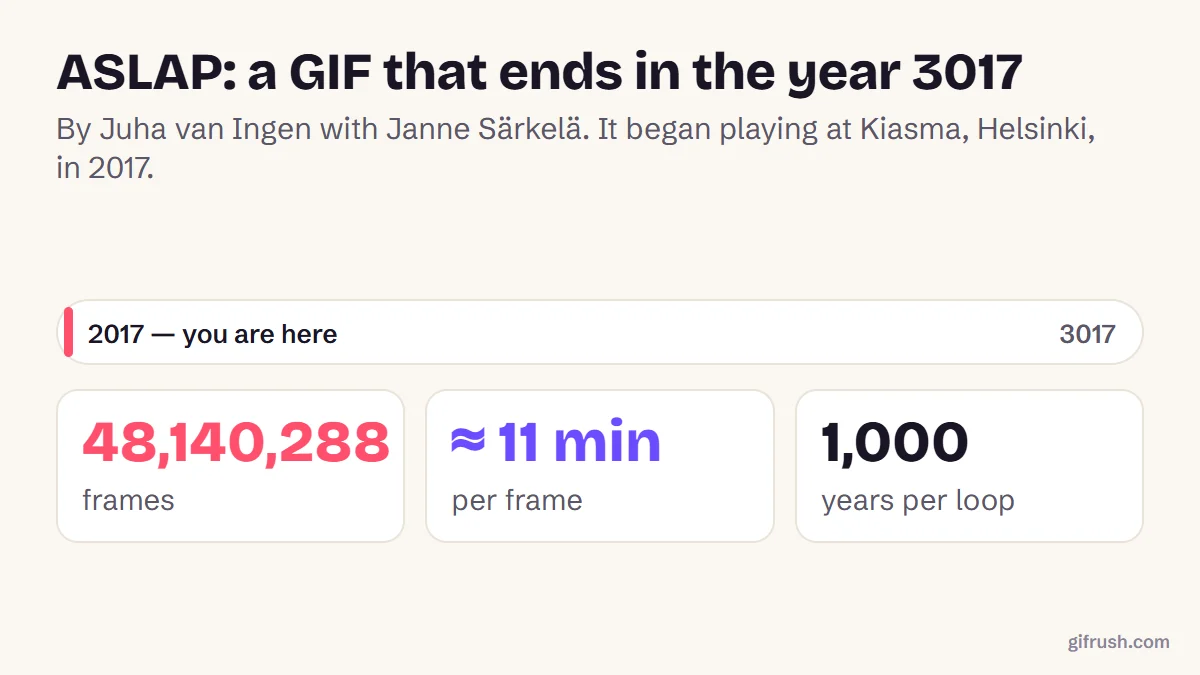
Taken to the extreme, this allows some absurd files. One art project lasts 1,000 years, and we explain how in the longest GIF ever made.
What really limits a GIF’s length?
File size. Video files get to reuse most of the picture from one frame to the next very efficiently. GIF uses a 1980s compression method and manages this far less well, so a longer clip means a roughly proportional increase in size.
We measured this by converting different lengths of the same clip with our MP4 to GIF converter. Doubling the length almost exactly doubled the file:
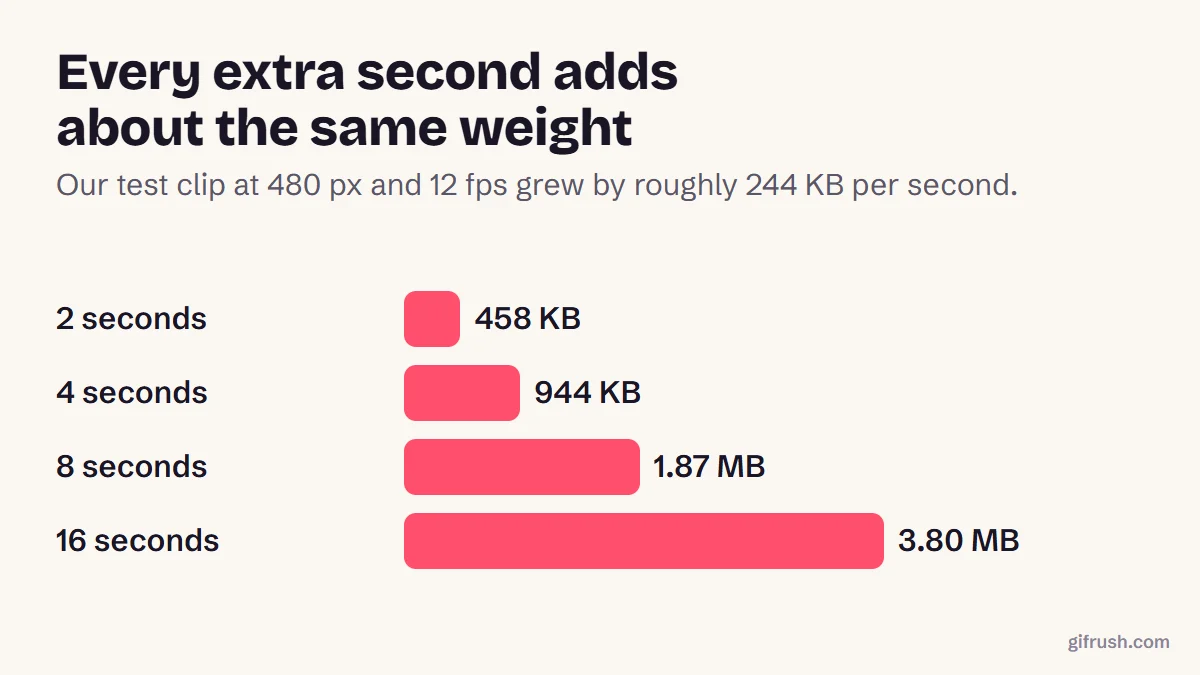
Real footage varies. Fast motion and film grain cost more, while a screen recording of a mostly still window costs far less. Large files also load slowly and can stutter on older phones, which is another reason to keep things short.
GIF limits on popular platforms
| Platform | Limit | Notes |
|---|---|---|
| GIPHY | 15 seconds, 100 MB | It recommends 6 seconds or less and 8 MB or less |
| X | 15 MB | X’s help page lists 5 MB on mobile, and one GIF per post |
| Discord | 20 MB free; up to 50 MB or 1 GB with Nitro | The free limit rose from 10 MB in August 2026; some older Discord pages still say 10 MB |
Not sure if yours will fit? The GIF Tester shows a GIF’s length, frame count and size, then compares it with common platform limits.Open GIF Tester
How to make a long GIF smaller or shorter
Work through these in order, because the first ones save the most while hurting the least:
Trim to the moment that matters
Most GIFs improve when they’re shorter. Use the GIF Trimmer to keep only the frames you need.
Lower the frame rate
Going from 25 to 10 fps made our test GIF about 2.4× smaller, and motion stayed watchable.
Reduce the width
Halving the width from 640 to 320 px made it about 2.5× smaller. Resize your GIF to what it’ll really be displayed at.
Compress what’s left
Our GIF Compressor reduces colours and reuses similar pixels between frames. The Smaller file setting in our converter cut this clip to a quarter of the size.
Switch format if you can
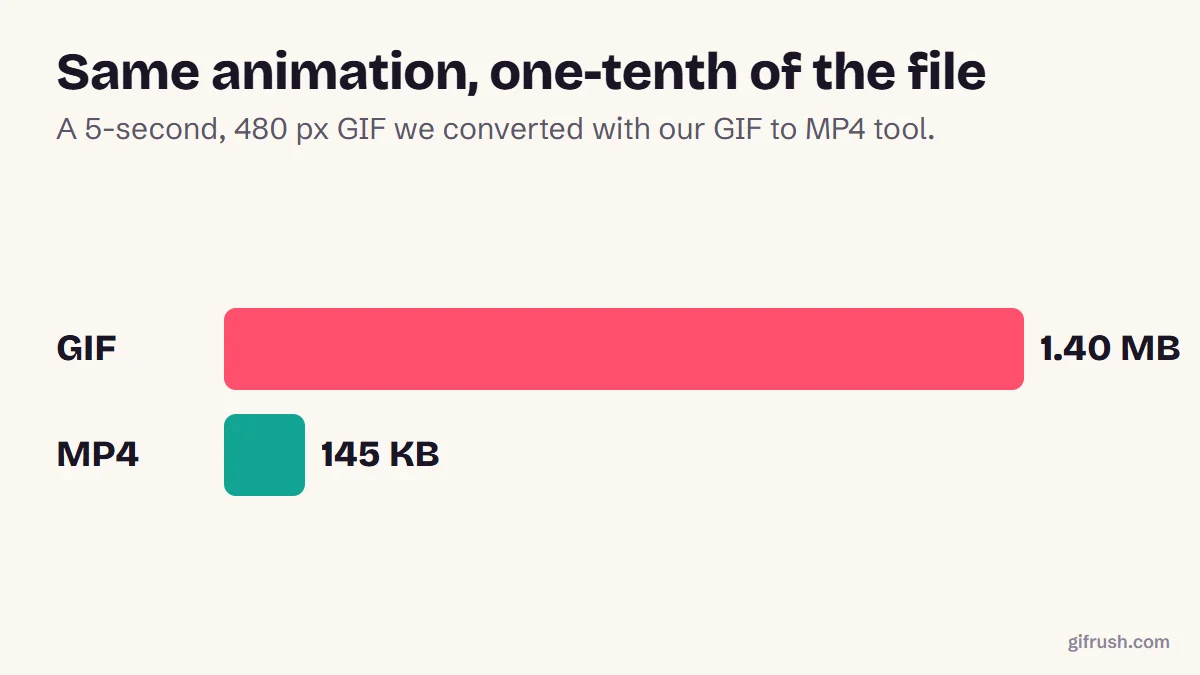
If the destination accepts video, convert the GIF to MP4. In our test, that made it 10× smaller.
What if you really need a long GIF?
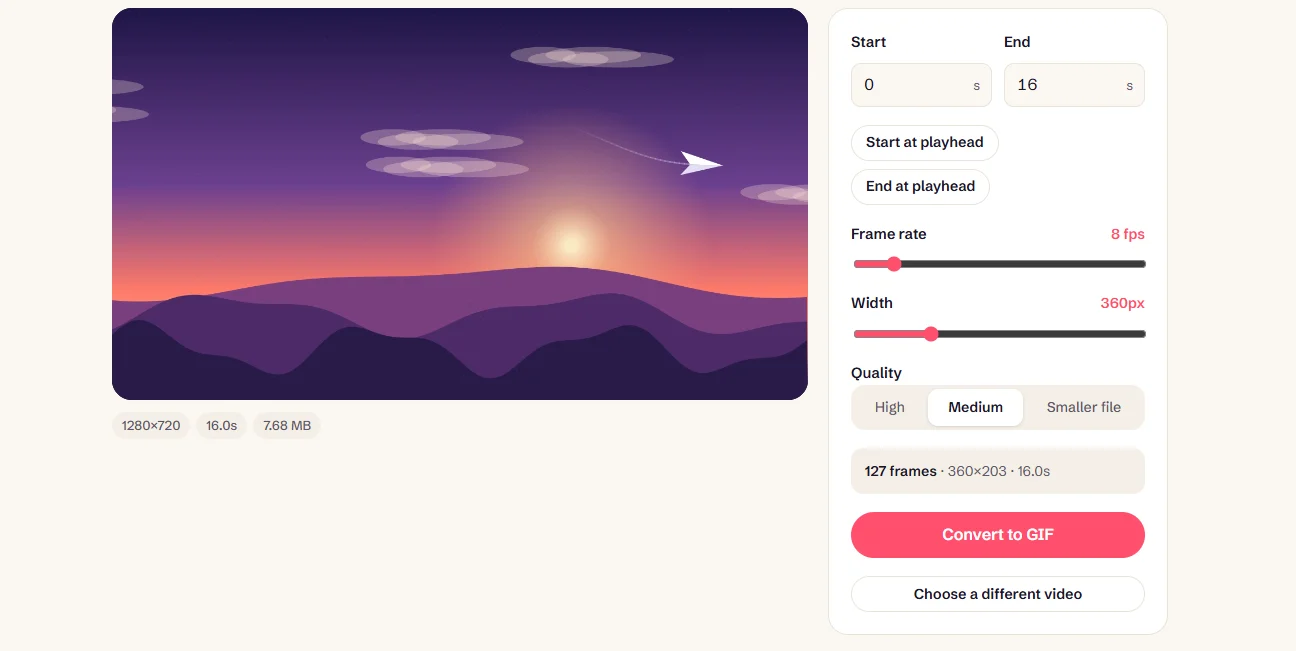
Sometimes you do: a tutorial, or a slide or kiosk that can’t play video. Our Long GIF Maker handles clips of up to 5 minutes. It writes each frame straight into the encoder, so your browser’s memory isn’t overwhelmed, and it defaults to lower settings that keep the size manageable.
New to this topic? Start with our main guide: What is a GIF and how does it work?
Frequently asked questions
How long can a GIF be?
The format has no maximum length, so it can technically be any duration. In practice, GIPHY allows up to 15 seconds and recommends no more than 6, and most GIFs work best at 2 to 6 seconds.
What is the maximum size of a GIF?
The format itself allows dimensions up to 65,535 pixels per side and no limit on file size. Platforms set their own caps, such as 15 MB on X and 20 MB for free Discord accounts as of November 2026.
How long is the average GIF?
Most shared GIFs last only a few seconds. GIPHY recommends no more than 6 seconds, which fits how they’re used: one moment, repeated.
How many frames can a GIF have?
There’s no limit in the format. A 5-second GIF at 15 frames per second has 75 frames. File size is what stops you, not a frame count.
Why is my long GIF so large?
GIF compresses far less efficiently than video, so each extra second adds a similar amount of data. Lowering the frame rate and width reduces it the most, and converting to MP4 reduces it further.
Sources
- Graphics Interchange Format, Version 89a (W3C archive of the CompuServe specification)
- GIF Creation Best Practices (GIPHY Support)
- Media best practices (X Developer Platform)
- How to post photos or GIFs on X (X Help Center)
- File Attachments FAQ (Discord Support)
Free tools for this
Long GIF Maker
Turn long videos — up to 5 minutes — into a single GIF with auto-tuned size and frame rate.
GIF Trimmer
Cut frames from the start or end of a GIF to keep only the part you want.
GIF Compressor
Reduce GIF file size with fewer colours, lossy frame diffing, frame dropping and scaling.
GIF Tester
Inspect any GIF: frames, delays, loop count, palettes, file size and platform checks.