GIF creation · 5 min read
How to make a GIF from a video
Quick answer
To make a GIF from a video, open a video-to-GIF tool, add your clip, and choose start and end times. Set 10–15 frames per second and a width of 320–480 pixels, then convert and download. Keeping the clip under about 6 seconds gives the best balance of quality and size.

Key takeaways
- Length, frame rate and width decide your file size. Choose them before anything else.
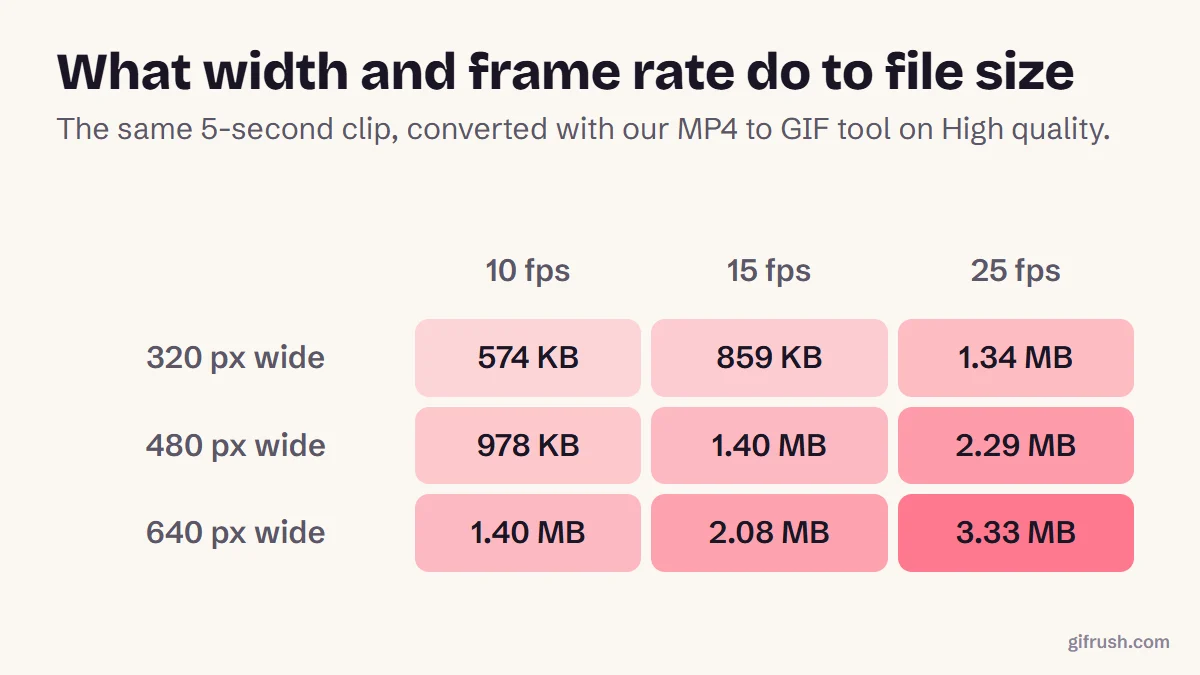
- Start with 10–15 fps and 480 px. In our test, that gave 978 KB to 1.40 MB for 5 seconds.
- Lowering the Quality setting can cut a GIF to a quarter of its size.
- Audio is dropped, so pick a moment that makes sense on mute, or add a caption.
How do you make a GIF from a video?
This takes about a minute with our free Video to GIF converter. It runs in your browser, so your video isn’t uploaded anywhere.
Add your video
Open Video to GIF and drop in an MP4, WebM or MOV file. It works with anything your browser can play.
Choose the moment
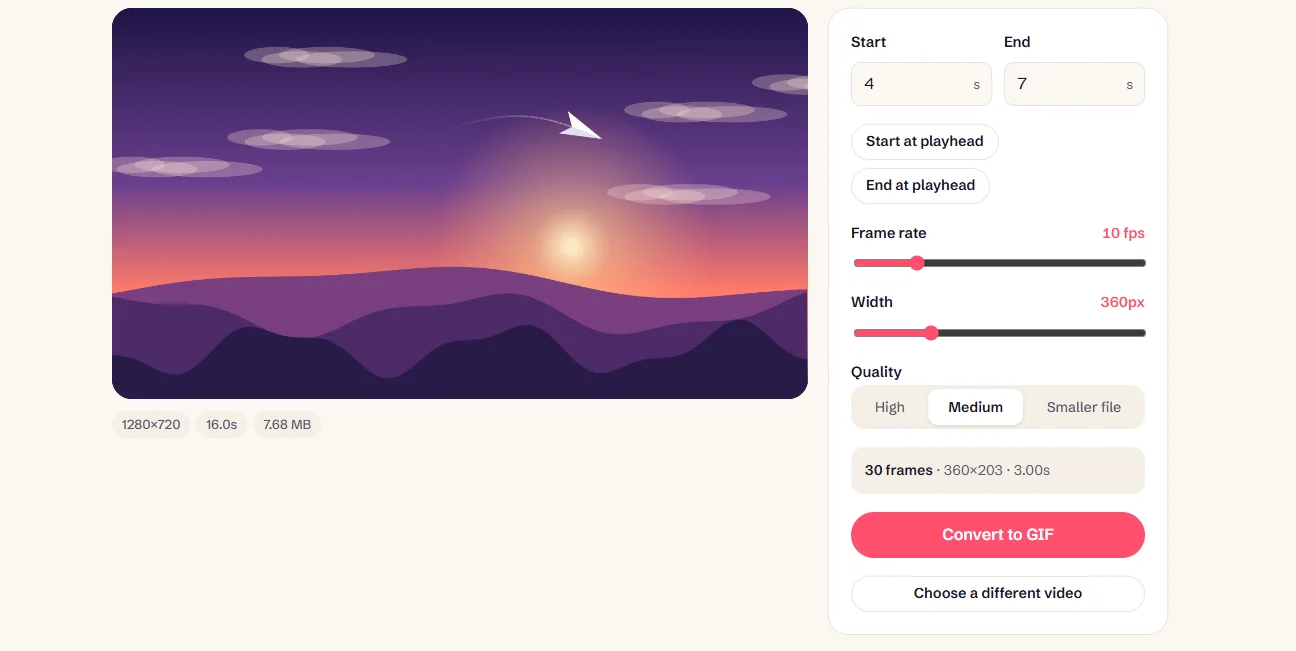
Type the Start and End times, or play the video and press “Start at playhead” and “End at playhead”. You can select up to 30 seconds.
Set frame rate and width
Start with 12 fps and 480 px. The tool shows the resulting frame count and dimensions as you adjust.
Pick a quality level
High keeps the most colour, while Medium and Smaller file save a lot of space. Try High first and step down if it’s too big.
Convert and download
Press Convert to GIF, check the preview and its size, then download. If it isn’t right, “Adjust settings” takes you back without starting over.
What settings should you use?
Three settings do nearly all the work. We ran the same 5-second clip through every combination to see how much each one matters:
| Use | Length | Frame rate | Width |
|---|---|---|---|
| Reaction in a chat | 2–3 s | 10 fps | 320 px |
| Social media post | 3–6 s | 12–15 fps | 480 px |
| Product or software demo | 5–15 s | 10–12 fps | 640 px |
| Fast action | 2–4 s | 20–25 fps | 480 px |
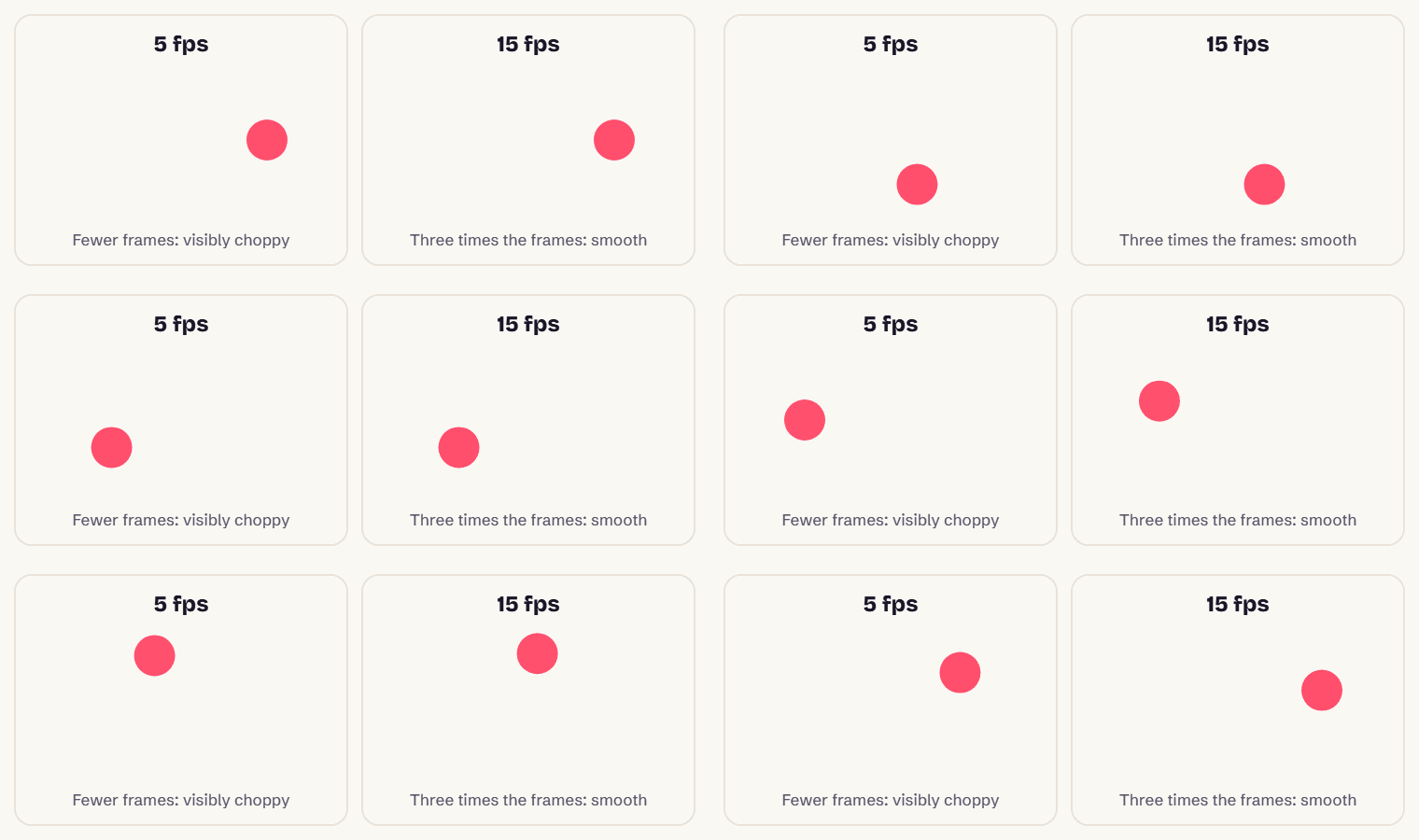
Note how much you can save on frame rate. Video is usually filmed at 24–60 fps, but most GIFs read as smooth well below that. Below about 8 fps, though, motion starts to look choppy:
How to choose a clip that makes a good GIF
- One action only. A head turn, a catch, a laugh. If you need to explain the setup, it’s probably too long.
- Make it work on mute. GIFs have no sound, so choose a moment that’s clear without it, or add a caption.
- Steady shots compress better. A static camera means fewer changed pixels per frame, so a smaller file.
- Find a natural loop. If the end looks like the start, your GIF will seem to play forever. See how to create an animated GIF that loops smoothly.
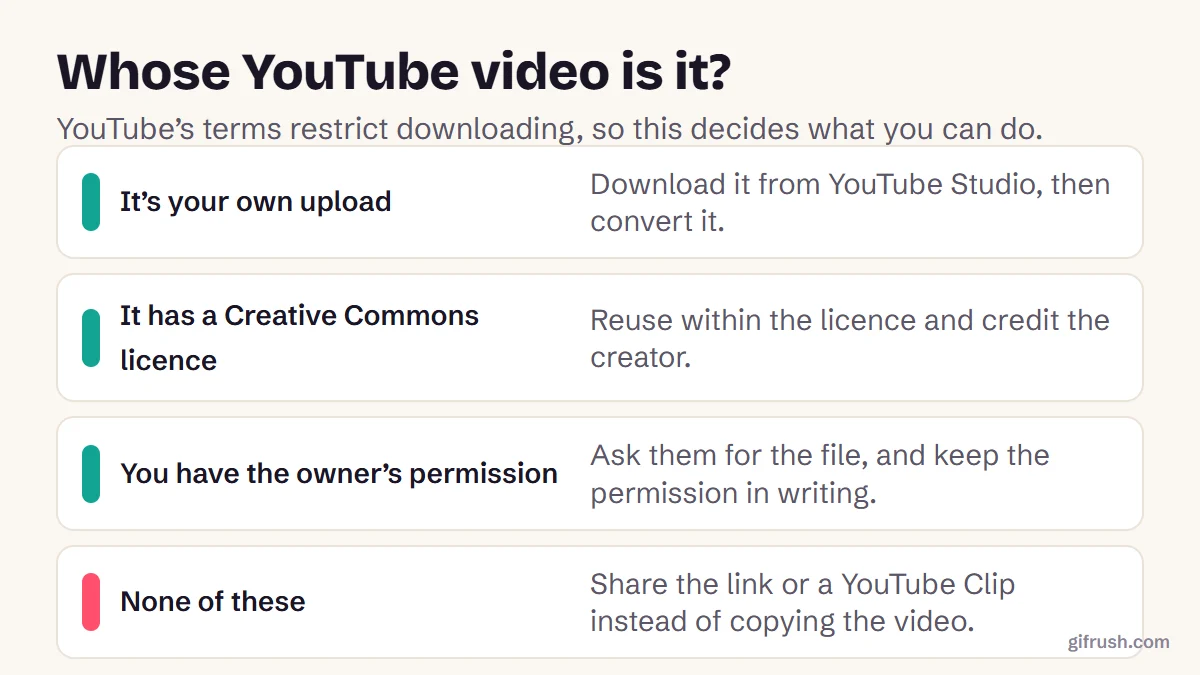
- Check your rights. Clips you filmed are yours, but others’ footage may not be, including YouTube videos.
Polish your GIF after converting
| If you want to | Use |
|---|---|
| Remove distractions around the subject | Crop GIF |
| Add a punchline | Add Text to GIF |
| Fit a size limit | Compress GIF |
| Change the pace | GIF Speed Changer |
| Keep the clip longer than 30 seconds | Long GIF Maker |
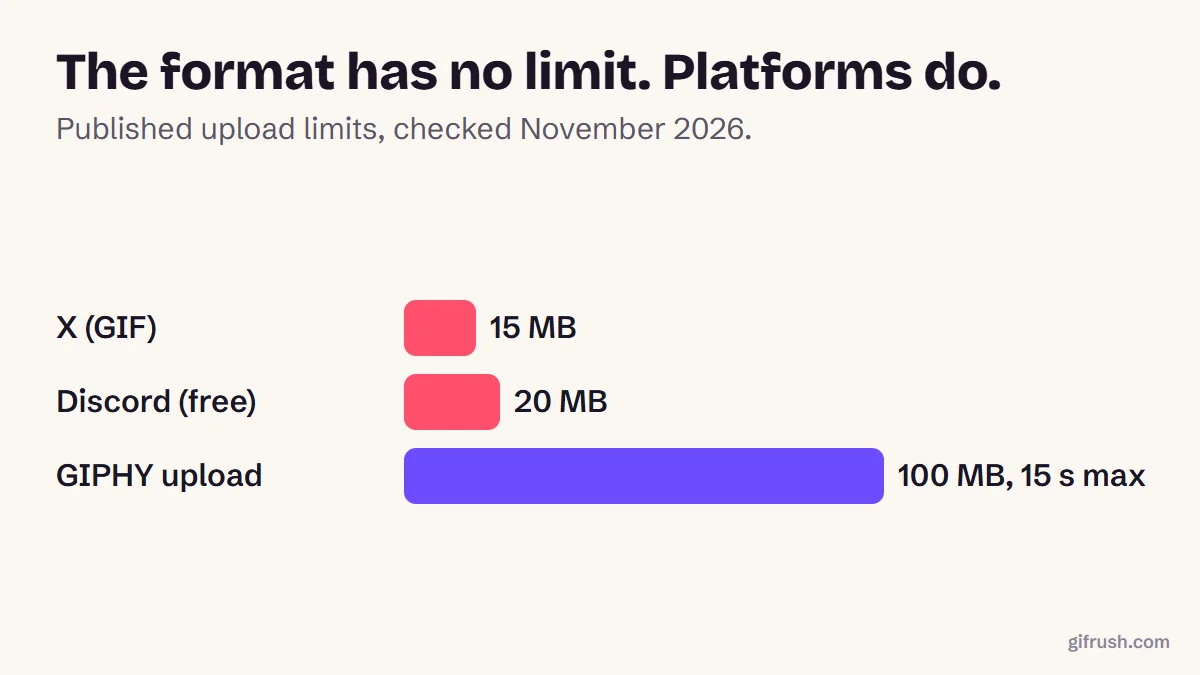
Size limits differ by platform, so check how long a GIF can be before you post. If you have an MP4 in particular and want the details, see how to convert MP4 to GIF. And if you meant the other direction, here’s how to turn a GIF into a video.
Got a clip ready? Convert it now. It’s free, has no watermark and nothing is uploaded.Open Video to GIF
New to this topic? Start with our main guide: How to make a GIF from scratch
Frequently asked questions
How do I make a GIF from a video for free?
Open a free converter such as GifRush Video to GIF, add your video, set the start and end times, frame rate and width, then convert and download. There’s no sign-up or watermark, and the video stays on your device.
How long should a GIF from a video be?
Two to six seconds suits most uses. GIPHY recommends 6 seconds or less, and each extra second adds file size roughly in proportion.
What frame rate is best for a GIF?
Ten to 15 frames per second suits most clips. Use 20 to 25 for fast action, or lower rates when file size matters most.
Why is my GIF bigger than my video?
GIF compresses motion far less efficiently than modern video and is limited to 256 colours per frame. Reducing length, frame rate and width helps the most.
Can I make a GIF from a video on my phone?
Yes. Browser-based tools like GifRush work on phones, as long as your browser can play the video. On iPhone, Safari can play HEVC videos recorded by the camera.
Does a GIF keep the video’s sound?
No. The GIF format can’t store audio, so sound is dropped during conversion. To keep sound, use a video format instead.
Sources
- GIF Creation Best Practices (GIPHY Support)
- Graphics Interchange Format, Version 89a (W3C archive of the CompuServe specification)
Free tools for this
Video to GIF
Turn MP4, WebM or MOV clips into smooth looping GIFs. Trim, resize and set the frame rate.
Long GIF Maker
Turn long videos — up to 5 minutes — into a single GIF with auto-tuned size and frame rate.
GIF Cropper
Drag to crop an animated GIF to any area or aspect ratio — square, 16:9, 9:16 and more.
GIF Compressor
Reduce GIF file size with fewer colours, lossy frame diffing, frame dropping and scaling.