GIF creation · 5 min read
How to make a GIF from scratch
Quick answer
To make a GIF, start with images, a video clip or a screen recording. Add them to a GIF maker, put them in order, set the timing and output size, then export. For most GIFs, use 2–6 seconds of animation, about 0.1 seconds per frame and a width of up to 480 pixels.

Key takeaways
- There are three starting points: images, a video or a screen recording.
- About 0.1 seconds per frame is a good default for animation, and 0.5–1 s suits a slideshow.
- Keep the first GIF small and short. It’s easier to get right, and easier to send.
- You don’t need to install anything. It all works in a browser, on your own device.
What’s the easiest way to make a GIF?
It depends on what you’re starting with. Pick the row that matches, and you’re most of the way there:
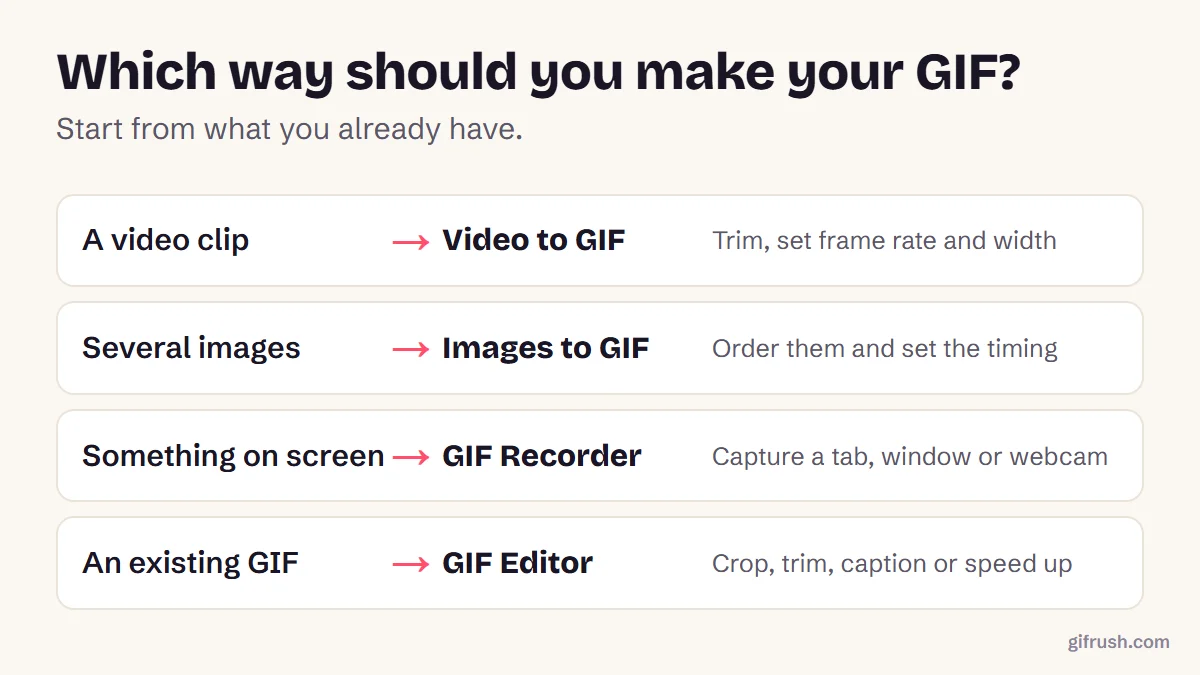
Not sure? The GIF Maker accepts both images and video. If you’re new to the format itself, what a GIF is and how it works takes a few minutes to read and makes everything below easier.
How to make a GIF from images
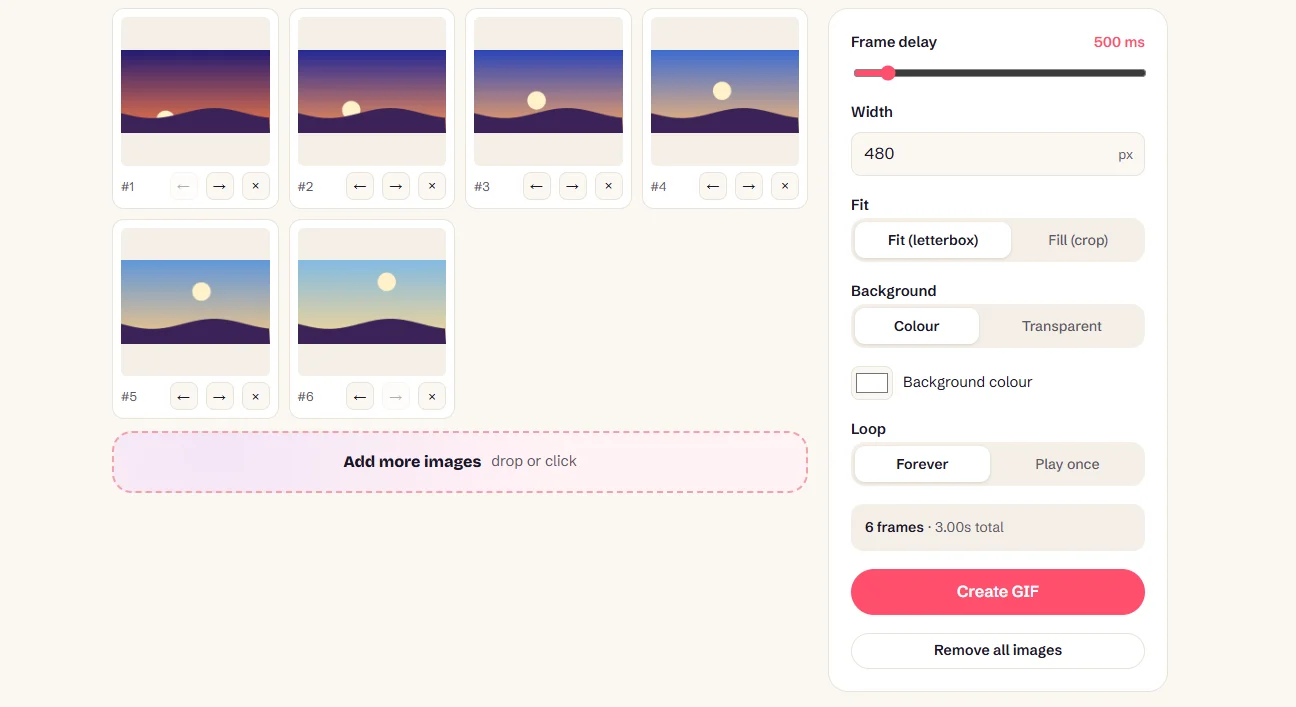
This is the true “from scratch” method, and it’s how we made the sunrise at the top of this page.
Prepare your images
Use two or more PNG, JPG, WebP or HEIC files of the same shape. Number the file names so they’re easy to keep in order.
Add them to the tool
Drop them into Images to GIF. It takes up to 200 images, and you can use the arrows to reorder or remove them.
Set the frame delay
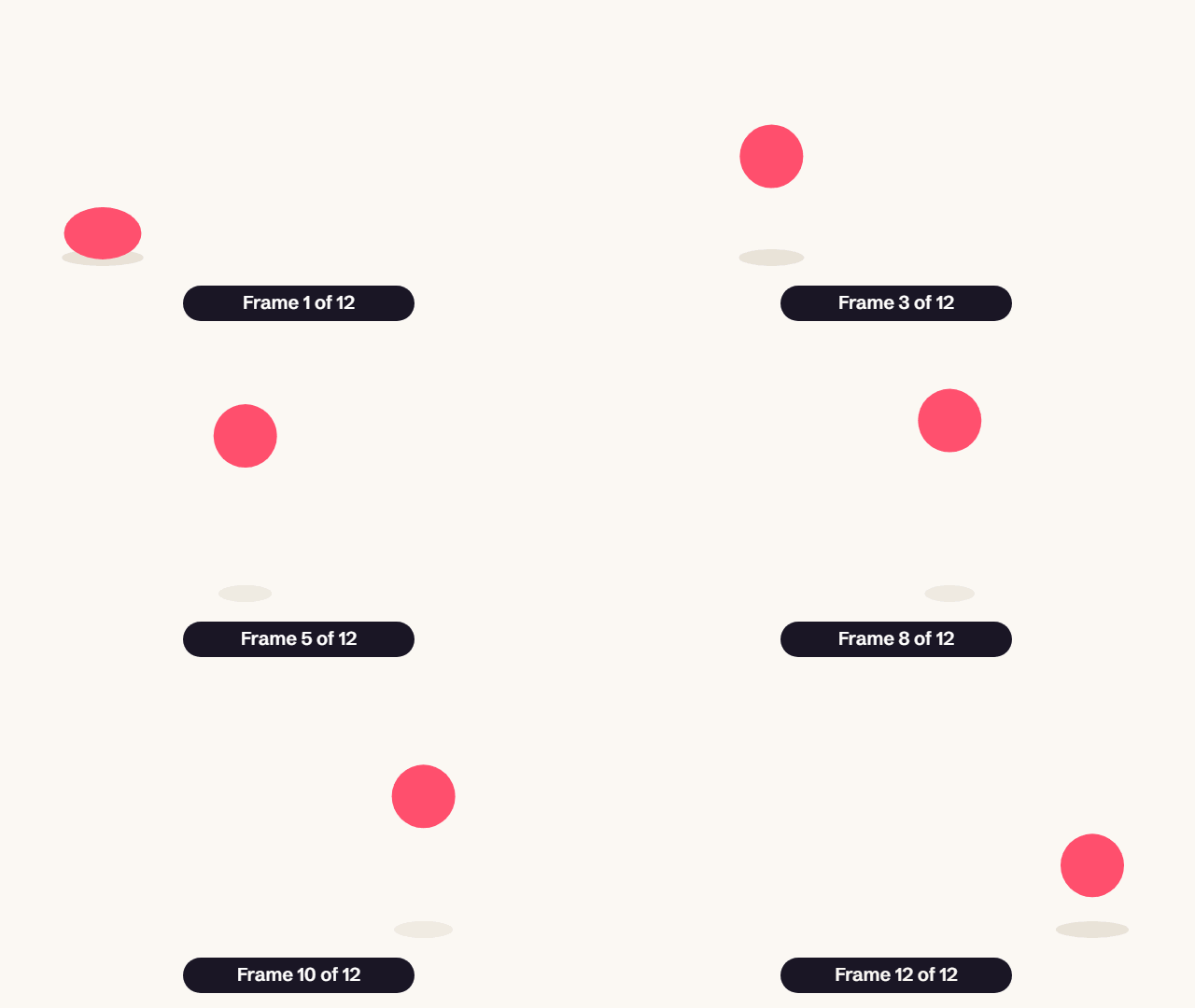
Use about 100 ms per frame for animation, or 500 ms and up for a slideshow. You can choose anything from 20 ms to 5 seconds.
Choose size and background
Enter a width, and decide how images of different shapes should fit: letterboxed or cropped.
Set the loop, create and download
Keep Loop on Forever for a classic GIF, press Create GIF, and download the result when you’re happy with it.
How to make a GIF from a video or your screen
For real footage, use Video to GIF: select the part you want, set the frame rate and width, then convert. We walk through this, with measured settings, in how to make a GIF from a video.
For something on your screen, such as a software demo or a bug report, use the GIF Recorder. It captures a whole screen, a window, a browser tab or your webcam for up to 60 seconds. Your browser asks your permission first, and the recording stays on your computer.
iPhone users have one more option, because a Live Photo already contains a short video: see how to turn a Live Photo into a GIF.
How fast and how big should a GIF be?
| Delay per frame | Frames per second | Looks like |
|---|---|---|
| 40–60 ms | 17–25 fps | Smooth, video-like motion |
| 80–100 ms | 10–12 fps | Most GIFs: smooth enough, and a sensible size |
| 150–200 ms | 5–7 fps | Stylised, hand-drawn or stop-motion |
| 500–2,000 ms | Under 2 fps | A slideshow you can read |
Avoid delays below 20 ms. The format can store them, but browsers slow frames that short right down, so the result often plays slower than one set at 20 ms. Our GIF Speed Changer handles this for you.
For size, 480 px wide suits most feeds, and 320 px works for chat reactions. Going wider makes files grow quickly, and there are real platform limits on GIFs to consider.
Common mistakes when making a GIF
| Problem | Likely cause | Fix |
|---|---|---|
| File is huge | Too long, too wide or too many frames | Trim it, resize it or compress it |
| Colours look striped | Too many shades for the 256-colour limit | Use a higher quality setting or flatter artwork |
| Plays once and stops | Loop is set to play once | Set it to Forever in the GIF Looper |
| Loop jumps | Last frame doesn’t lead back to the first | Read making a smooth loop |
| Too fast or too slow | Frame delay is off | Use the Speed Changer |
More step-by-step GIF guides
This is the main guide in our GIF creation series. Here’s where to go for a specific job:
- Make a GIF from a video
- Convert MP4 to GIF
- Create an animated GIF that loops smoothly
- Make a GIF from a YouTube video
- Turn a Live Photo into a GIF
- Turn a GIF into a Live Photo
- Turn a GIF into an MP4 video
Ready to make your first one? It’s free, needs no account and adds no watermark.Open GIF Maker
Frequently asked questions
How do I make a GIF?
Choose a starting point, such as images, a video or a screen recording. Add it to a GIF maker, set the timing and size, then export. GifRush’s GIF Maker does this in your browser for free.
Can I make a GIF for free?
Yes. GifRush’s tools are free with no sign-up and no watermark, and they run on your own device, so your files aren’t uploaded.
How many frames does a GIF need?
As few as two. A smooth animation typically runs at 10 to 15 frames per second, so a 3-second GIF has about 30 to 45 frames.
Can I make a GIF from photos on my phone?
Yes. Open Images to GIF in your phone’s browser, select your photos, set the delay and create the GIF. It also accepts iPhone HEIC photos.
What is the best size for a GIF?
For most uses, 480 pixels wide or smaller. Use about 320 pixels for chat reactions, which keeps the file light enough to send easily.
How do I save a GIF?
Press the download button in the tool to save the .gif file. It goes to your Downloads folder, or to your Files or Photos app on a phone, depending on your browser.
Sources
- Graphics Interchange Format, Version 89a (W3C archive of the CompuServe specification)
- GIF Creation Best Practices (GIPHY Support)
Free tools for this
GIF Maker
The all-in-one animated GIF maker: build a GIF from photos, images or a video clip.
Images to GIF
Combine PNG, JPG, WebP or HEIC images into an animated GIF slideshow with custom timing.
Video to GIF
Turn MP4, WebM or MOV clips into smooth looping GIFs. Trim, resize and set the frame rate.
GIF Recorder
Free GIF screen recorder: record your screen, a window, a tab or your webcam straight to an animated GIF.