GIF basics · 4 min read
What is a GIF file and when should you use one?
Quick answer
A GIF file is an image with the .gif extension that stores up to 256 colours per frame using lossless LZW compression. It can be still or animated and can have simple transparency, but no sound. Use it for short, silent loops and flat graphics, not photos or long clips.
Key takeaways
- A .gif file can be still or animated, using up to 256 colours per frame.
- Compression is lossless, but reducing an image to 256 colours is not.
- Transparency is all or nothing per pixel, so soft edges can look rough.
- Choose GIF when you need a short silent loop that plays anywhere. Otherwise, PNG, WebP or MP4 may be better.
What is a GIF file?
A GIF file is an image stored in the Graphics Interchange Format, with the extension .gif and the media type image/gif. Unlike a JPG or standard PNG, a single GIF can contain many images and instructions for playing them as an animation. Every browser and nearly every image viewer can open one, so you can usually just double-click it.
There are two versions. GIF87a is the 1987 original. GIF89a, from 1989, added frame delays, transparency and application extensions. Almost every animated GIF you see is GIF89a, and the version is written in the first six bytes of the file.
What’s inside a GIF file?
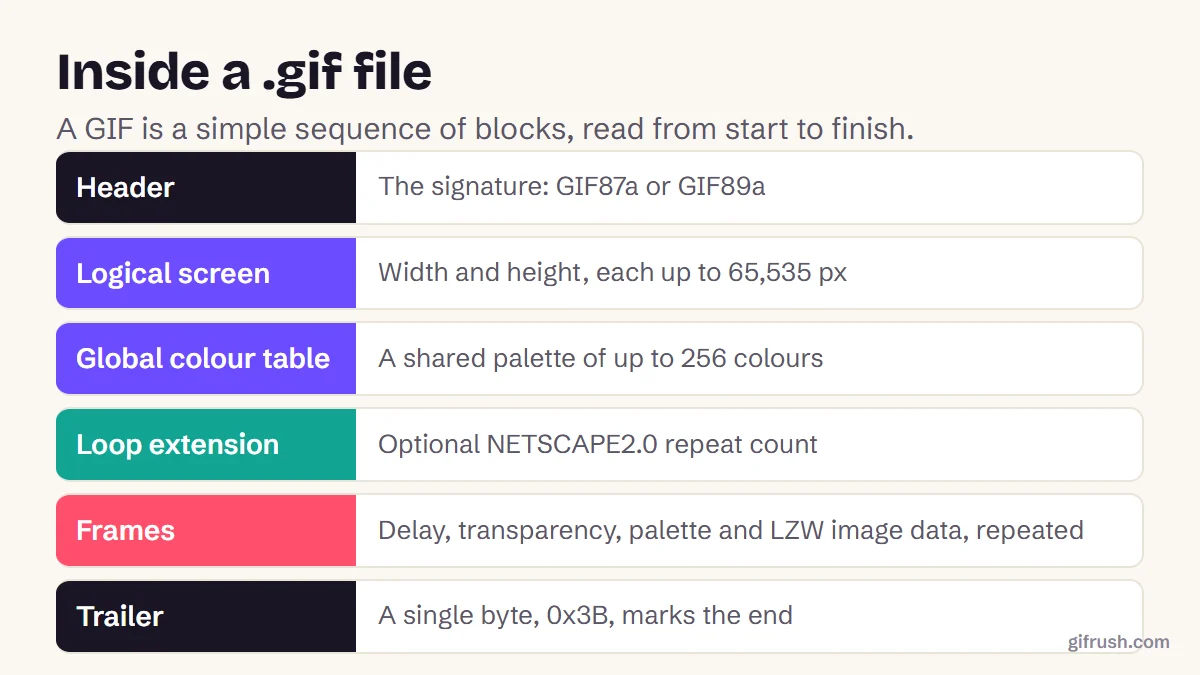
The GIF89a specification lays the file out as a series of blocks, read in order: a header, the canvas size, an optional shared colour palette, then one block per frame, and a final byte, 0x3B, that marks the end. You don’t need to know this to use GIFs, but it helps explain their behaviour.
You can see it for yourself. Our GIF Tester reads these blocks and reports what it finds, without changing the file:
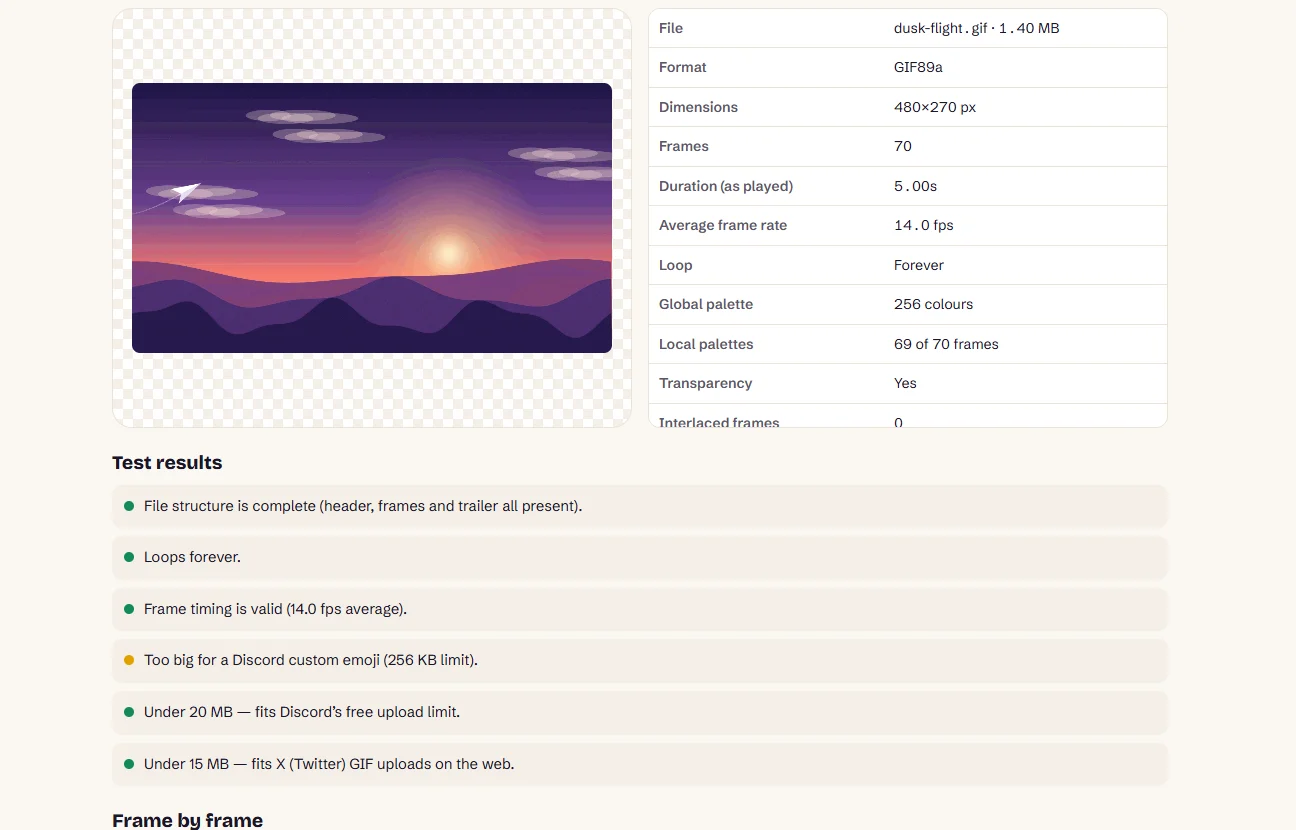
A few of these details affect what you see. Each frame can bring its own palette (a “local colour table”), which helps quality but adds size. Frames can also be interlaced, and each has a “disposal method” that says what happens to it before the next frame draws. If a GIF ever leaves odd trails behind moving objects, that setting is often the cause, and Fix GIF can help with damaged files.
Do GIF files support transparency?
Yes, in a limited way. One palette colour can be marked as transparent, so each pixel is either fully see-through or fully solid. There’s no in-between, which is why GIFs can get a jagged or fringed edge around curves on a background they weren’t made for.

For smoother edges, a PNG, or animated APNG, supports full transparency levels. To cut the background out of an existing GIF, try our GIF Background Remover.
GIF vs PNG, JPG, WebP and MP4
| Format | Colours | Animation | Transparency | Best for |
|---|---|---|---|---|
| GIF | 256 per frame | Yes | On or off | Short loops that play anywhere |
| PNG | Millions | APNG variant only | Full | Logos, screenshots, graphics |
| JPG | Millions | No | No | Photos |
| WebP | Millions | Yes | Full | Web images, where supported |
| MP4 | Millions | Video | No | Anything longer, or with sound |
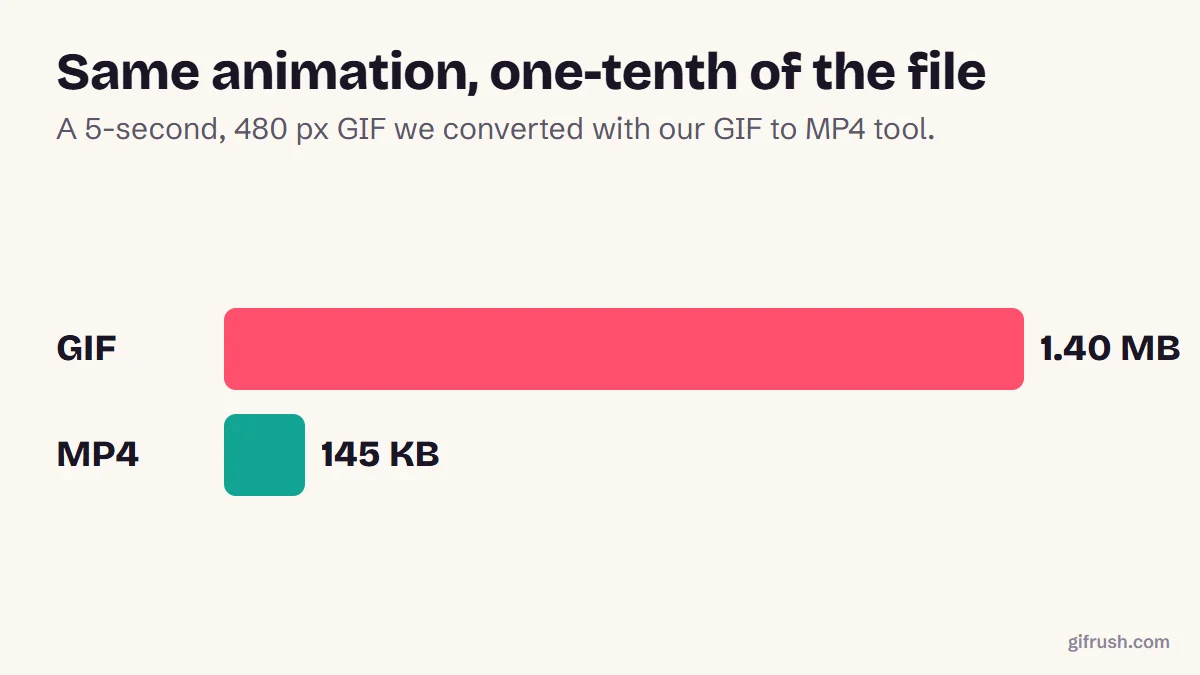
File size is often the deciding factor. On websites, web.dev recommends replacing large GIFs with video, citing an animation that dropped from 3.7 MB as GIF to 551 KB as MP4 and 341 KB as WebM. Our own test saw about a 10× saving, which you can read about in how to turn a GIF into a video.
When should you use a GIF file?
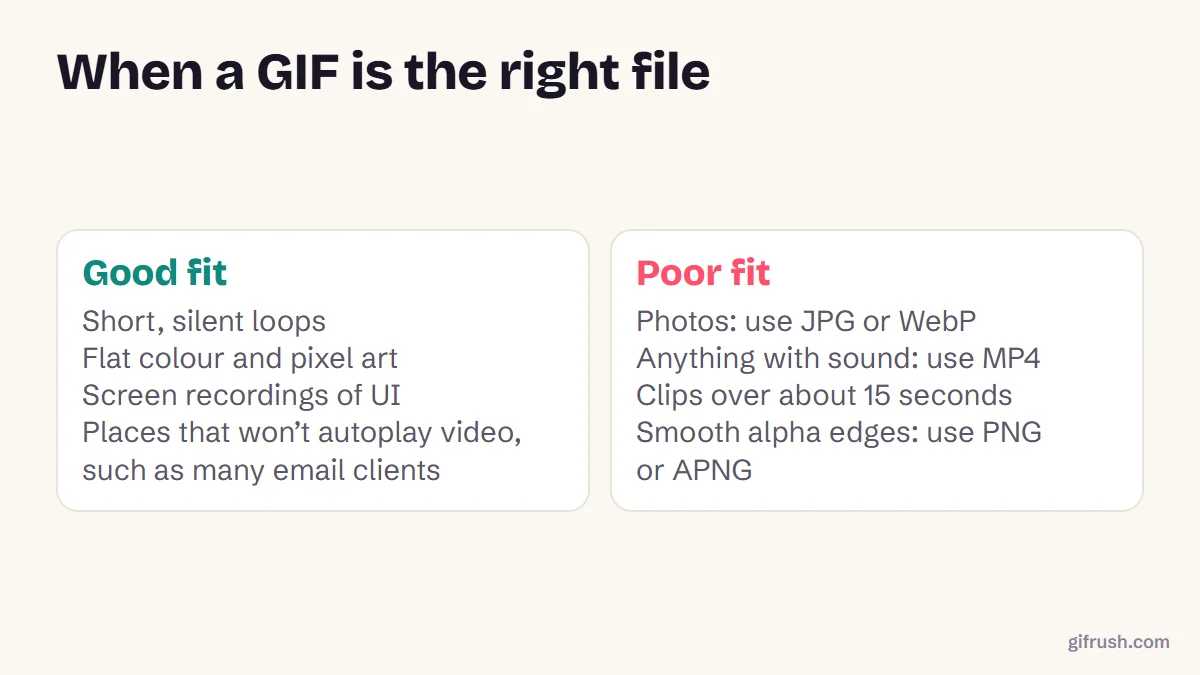
A useful test: if it needs to play automatically wherever you drop it, and it’s only a few seconds long, use GIF. If you control the page and can use a video tag, MP4 will nearly always look better and load faster.
Have a GIF that’s misbehaving? Test it to see its real frame timing, loop setting and palette.Open GIF Tester
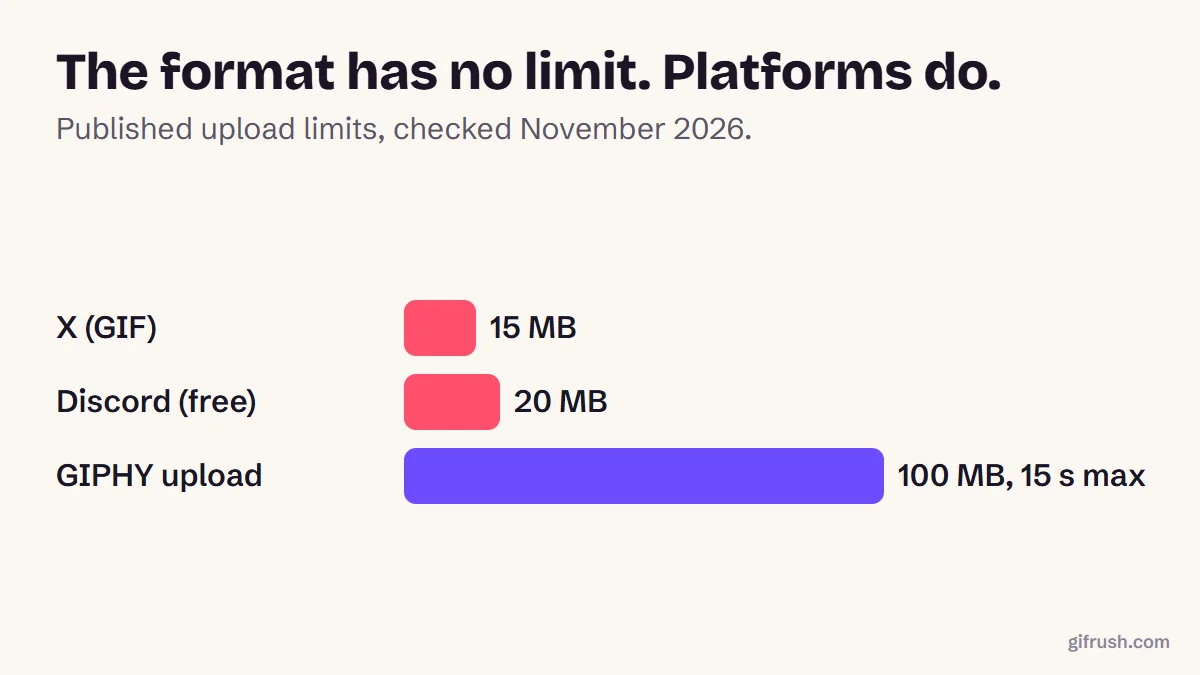
For a gentler overview, try what a GIF is and how it works, or read how long a GIF can be for the format’s size limits.
New to this topic? Start with our main guide: What is a GIF and how does it work?
Frequently asked questions
What is a GIF file?
A GIF file is an image with the .gif extension. It can be still or animated, uses up to 256 colours per frame, supports simple transparency and has no sound.
How do I open a GIF file?
Open it in any web browser by dragging it into a window, or double-click it to use your device’s default image viewer. Some older viewers show only the first frame, but browsers play the animation.
Is a GIF file lossless?
Its LZW compression is lossless, but images with more than 256 colours have to be reduced to fit, and that step does lose information. Flat graphics can survive perfectly, while photos can’t.
Is GIF better than PNG?
For animation, GIF plays in more places. For still images, PNG is usually better because it has millions of colours and full transparency.
What is the difference between GIF87a and GIF89a?
GIF87a is the original 1987 version. GIF89a, from 1989, adds frame delays, transparency and application extensions, which animated GIFs rely on.
Sources
- Graphics Interchange Format, Version 89a (W3C archive of the CompuServe specification)
- GIF (Wikipedia)
- Replace animated GIFs with video for faster page loads (web.dev)
Free tools for this
GIF Tester
Inspect any GIF: frames, delays, loop count, palettes, file size and platform checks.
GIF to PNG
Convert a GIF to PNG — pick any frame for a lossless still, or export every frame.
GIF to APNG
Convert animated GIF to animated PNG (APNG) with identical frames and timing.
GIF to MP4
Convert an animated GIF to an MP4 video that’s much smaller and plays everywhere.