GIF editing · 4 min read
How to crop an animated GIF
Quick answer
To crop a GIF without losing the animation, use a GIF cropper that applies the same rectangle to every frame. Open Crop GIF, drag a box or pick a ratio such as 1:1 or 9:16, adjust the position, then click Crop GIF and download. The frame timing stays the same.

Key takeaways
- A GIF cropper cuts every frame to the same rectangle, so the animation is kept.
- Pick a ratio for where it’s going: 1:1, 4:3, 16:9 or 9:16.
- Leave room for movement: the subject has to stay inside the box on every frame.
- Cropping also shrinks the file, because there are fewer pixels to store.
How do you crop an animated GIF?
Open Crop GIF
Drop your GIF into Crop GIF. The first frame appears as a preview.
Choose a ratio
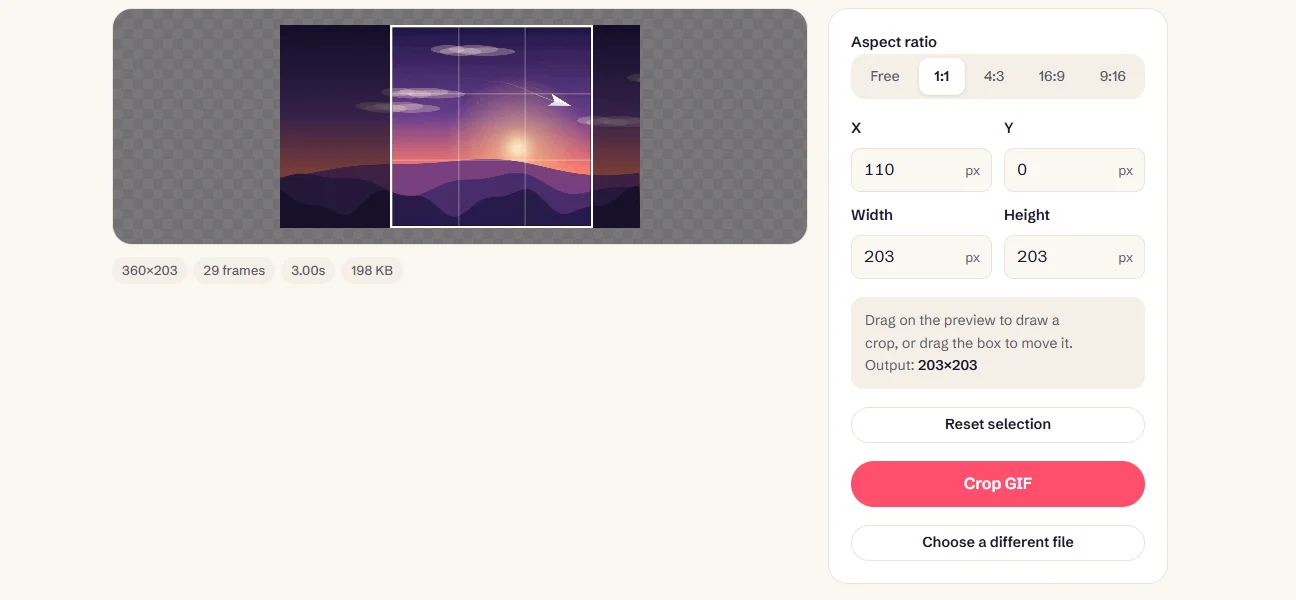
Pick Free, 1:1, 4:3, 16:9 or 9:16. The selection keeps that shape as you resize it.
Position the box
Drag on the preview, or type exact X, Y, Width and Height values in pixels.
Check the motion
Make sure the subject stays inside the box throughout. The crop is the same on every frame.
Crop and download
Click Crop GIF, check the preview and download.
Which shape should you crop to?
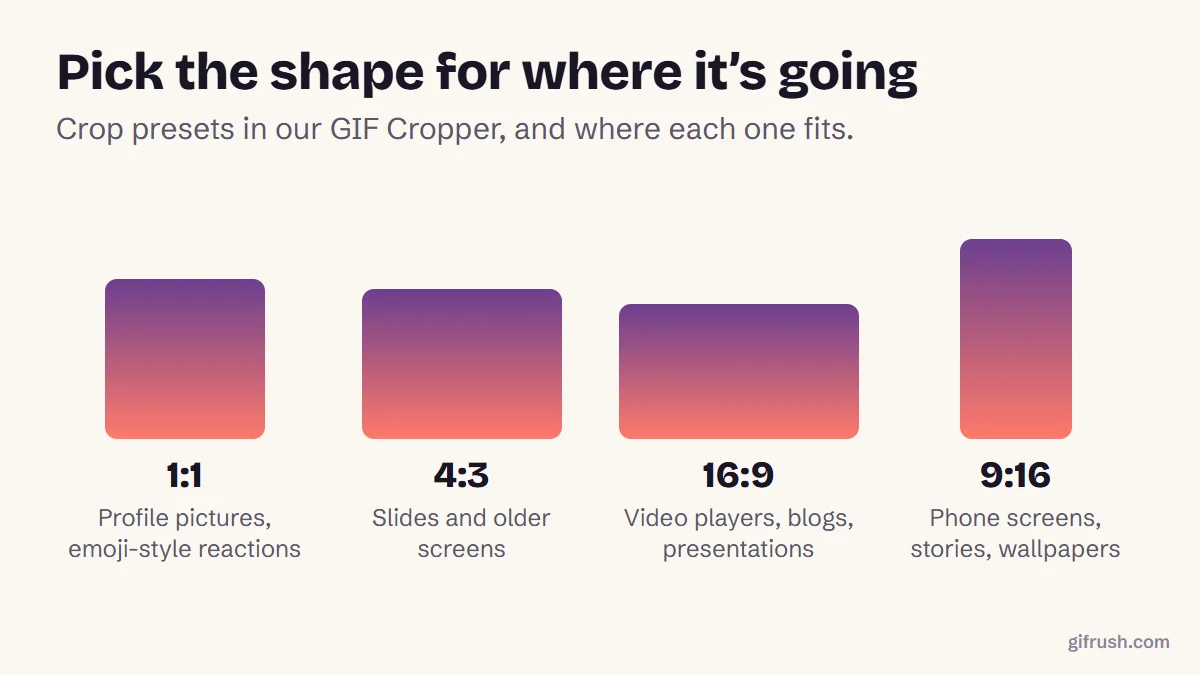
A tall 9:16 crop is the one to use for a phone wallpaper. If that’s your plan, read how to turn a GIF into a Live Photo next.
Planning a crop for different jobs
| Goal | How to crop |
|---|---|
| Focus on a reaction | Crop tight around the face, leaving a little room above the head |
| Remove a watermark or logo you own | Crop the edge it sits on, or blur that area if cropping would cut too much |
| Fit a profile picture | Use 1:1 and centre the subject, since many apps display it as a circle |
| Tidy a screen recording | Crop to the window or panel that matters, which also shrinks the file |
| Make a phone wallpaper | Use 9:16 and keep the subject in the middle third |
Watch the whole animation before choosing the box. The first frame can be misleading: a subject that starts in the centre may drift out of frame later. Our Pause GIF player lets you step through to check.
Why do some croppers lose the animation?
Because they treat the GIF as a single picture. Many photo editors, including some phone gallery apps, open only the first frame. Crop and save, and you get a cropped still image. A GIF cropper reads every frame, cuts each one to the same rectangle, and writes them back with their original timing.
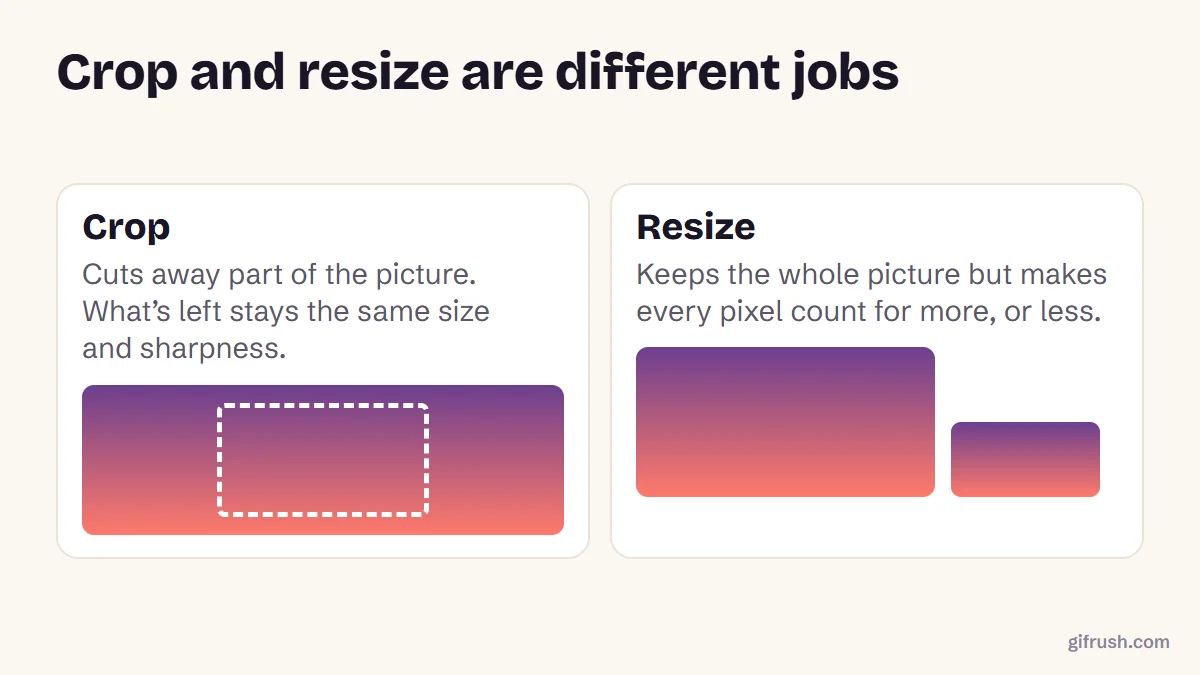
Want the whole picture, just smaller? That’s resizing, not cropping: see how to resize a GIF. To soften the edges rather than remove them, blur them.
Crop your GIF now. Every frame is kept, and nothing is uploaded.Open GIF Cropper
New to this topic? Start with our main guide: How to edit a GIF after it is created
Frequently asked questions
How do I crop a GIF?
Open a GIF cropper such as GifRush Crop GIF, drag a box or choose a ratio, position it, then click Crop GIF and download. Every frame is cropped to the same rectangle.
Does cropping a GIF keep the animation?
Yes, if you use a tool made for animated GIFs. Photo editors that open only the first frame will save a still image instead.
How do I crop a GIF into a square?
Choose the 1:1 ratio in Crop GIF, then drag the square to the part you want to keep.
Can the crop follow a moving subject?
No. The same rectangle is used on every frame, so make it large enough to contain the subject throughout, or trim the GIF to the part where it stays still.
Does cropping make a GIF smaller?
Yes. Fewer pixels per frame means less data, so a cropped GIF is usually smaller than the original.
Sources
- Graphics Interchange Format, Version 89a (W3C archive of the CompuServe specification)
Free tools for this
GIF Cropper
Drag to crop an animated GIF to any area or aspect ratio — square, 16:9, 9:16 and more.
GIF Resizer
Scale an animated GIF to an exact width and height, or by percentage, keeping every frame.
GIF Trimmer
Cut frames from the start or end of a GIF to keep only the part you want.
Find more free tools for the same job in the GIF Editor.