GIF creation · 4 min read
How to turn a still image into a GIF
Quick answer
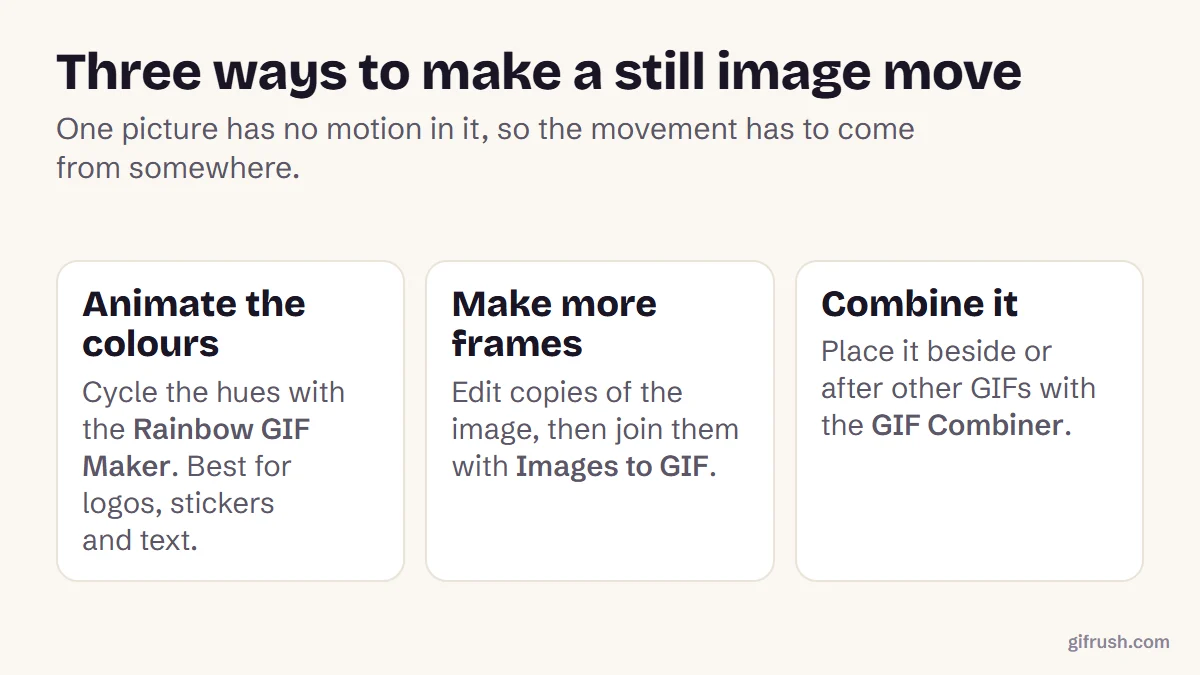
Converting one still image gives you a still GIF, because a single picture has no motion in it. To make it move, add the motion: cycle its colours with a rainbow effect, create edited copies and join them as frames, or combine it with other GIFs. Tools like Rainbow GIF Maker and Images to GIF do this in a browser.

Key takeaways
- One image → one still GIF. Motion has to be added; it can’t be discovered.
- The fastest way to add motion is an effect that changes over time, like a colour cycle.
- For real movement, make extra frames: edited copies of the image, played in order.
- Logos, stickers and flat artwork animate best. Photos work but cost more file size.
Can a still image become an animated GIF?
Yes, but not by conversion alone. An animated GIF is a series of frames shown one after another. A photo or PNG is one frame, so converting it with JPG to GIF produces a perfectly valid GIF that doesn’t move.
That’s still useful when a website or app demands a .gif file. When you want movement, though, something has to create the other frames. There are three practical ways to do that.
Method 1: Animate it with an effect
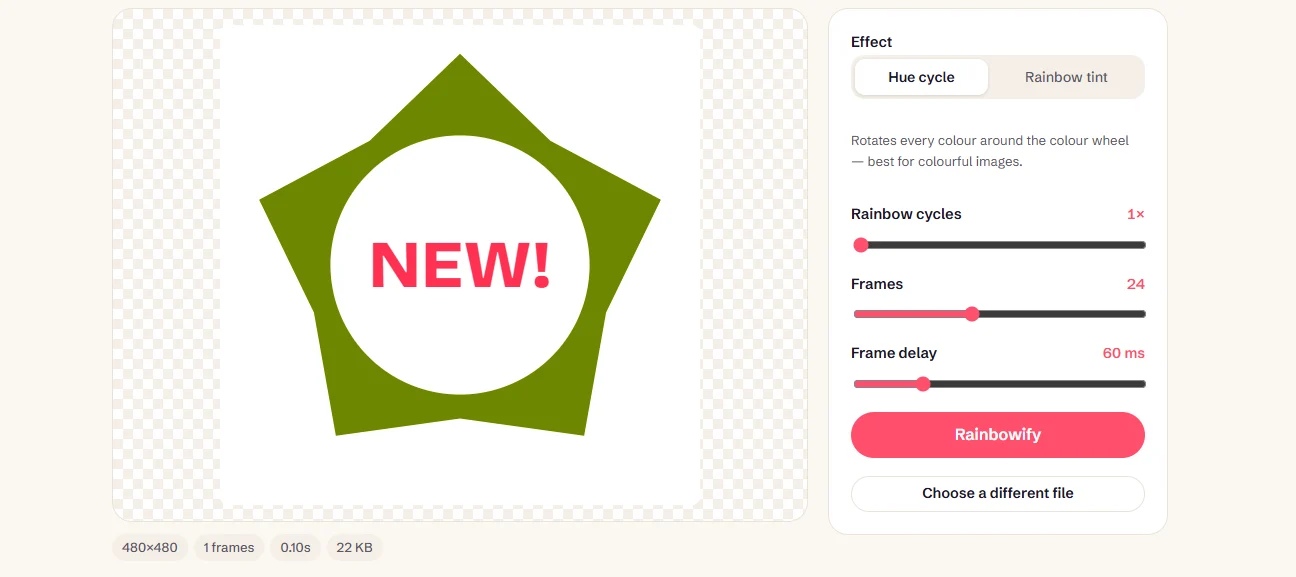
An effect that changes over time creates the frames for you. Our Rainbow GIF Maker takes a PNG, JPG or WebP and builds 8 to 48 frames from it, shifting the colours on each one so the result loops smoothly.
Add your image
Open the Rainbow GIF Maker and drop in the image. Logos and stickers with bold shapes work best.
Choose the effect
Hue cycle sweeps every colour around the colour wheel. Rainbow tint washes colour over the image, which also works on black, white and grey designs.
Set cycles and frames
More frames give smoother motion and a larger file. One or two colour cycles per loop usually looks best.
Create and download
Press Rainbowify, check the preview, and download the GIF.
Method 2: Make extra frames yourself
For real movement, like a blinking eye, a waving flag or words appearing one by one, make several versions of the image in any editor and save each one. Then add them to Images to GIF in order and set a short delay. This is how hand-made animation has always worked, and our guide to creating a smooth animated GIF covers timing and looping in detail.
Have a set of photos rather than edits of one picture? Then follow how to make a GIF from photos.
Method 3: Combine it with something that moves
The GIF Combiner accepts still images alongside GIFs. Put a still title card before an animation, or place a logo beside a moving GIF, and the result plays as one file. This is handy for adding a branded intro or end card.
Which images work best?
| Image | Works well for | Watch out for |
|---|---|---|
| Logo or icon | Colour effects, blinking, simple motion | Thin lines can shimmer at small sizes |
| Sticker or cartoon | Any method | Very little |
| Photo | Slideshows, subtle colour effects | Larger files and banding in skies |
| Screenshot with text | Step-by-step frames | Keep text large enough to read |
Finished GIF too large? Compress it. For the bigger picture of what you can make, start with our main guide on how to make a GIF.
Bring a still image to life in a few seconds. It’s free, private and has no watermark.Open Rainbow GIF Maker
New to this topic? Start with our main guide: How to make a GIF from scratch
Frequently asked questions
How do I turn an image into a GIF?
To keep it still, convert it with a tool like JPG to GIF. To make it move, add motion with an effect such as the Rainbow GIF Maker, or create extra frames and join them with Images to GIF.
Can one picture become an animated GIF?
Yes, if something creates the extra frames. Effects like a colour cycle do this automatically. Otherwise, make edited copies of the picture and play them in order.
How do I turn several images into a GIF?
Add them to Images to GIF, arrange the order, set a frame delay and create the GIF. Each image becomes one frame.
Will my image lose quality as a GIF?
Flat graphics usually look identical. Photos may show some banding, because GIF can display only 256 colours per frame.
Is converting a PNG to GIF the same as animating it?
No. Converting changes the file format but keeps a single frame, so the GIF won’t move until motion is added.
Sources
- Graphics Interchange Format, Version 89a (W3C archive of the CompuServe specification)
Free tools for this
Rainbow GIF Maker
Add rainbow effect to GIF files, or turn any image to rainbow GIF with a seamless colour loop.
Images to GIF
Combine PNG, JPG, WebP or HEIC images into an animated GIF slideshow with custom timing.
JPG to GIF
Convert JPG photos to GIF — a single image to a still GIF, or several into an animation.
GIF Combiner
Merge several GIFs into one — one after another, side by side, or stacked.
Find more free tools for the same job in the GIF Editor, All GIF Tools and the GIF Converter.